Legal
Text messaging policy
Last updated September 10, 2026
What Ecclesia sends
Ecclesia is a scheduling application for Christadelphian churches (known as "ecclesias"). Members attend and are assigned responsibilities at various weekly events, and Ecclesia sends text messages about those events and assignments:
- Reminders for an upcoming event or responsibility
- Notices when a member is added to or removed from a roster
- Notices when a member's scheduled assignment has changed
- Announcements from admins of the member's local ecclesia (church)
- Emergency alerts, such as an event cancellation
Ecclesia does not send marketing or promotional messages, and does not sell or share phone numbers.
How members opt in
A member must have an Ecclesia account. Text messages are off until the member turns them on, and nobody is texted without completing every step below.
- A signed-in member opens Settings → Notifications and presses Set up beside Text messages.
- The member confirms the number to be texted. This screen states the message and data rates notice, how to cancel, and links to this page.
- The member presses Send code. We text a six-digit code and nothing else.
- The member enters that code. Entering it confirms the member controls the number and consents to receive messages.
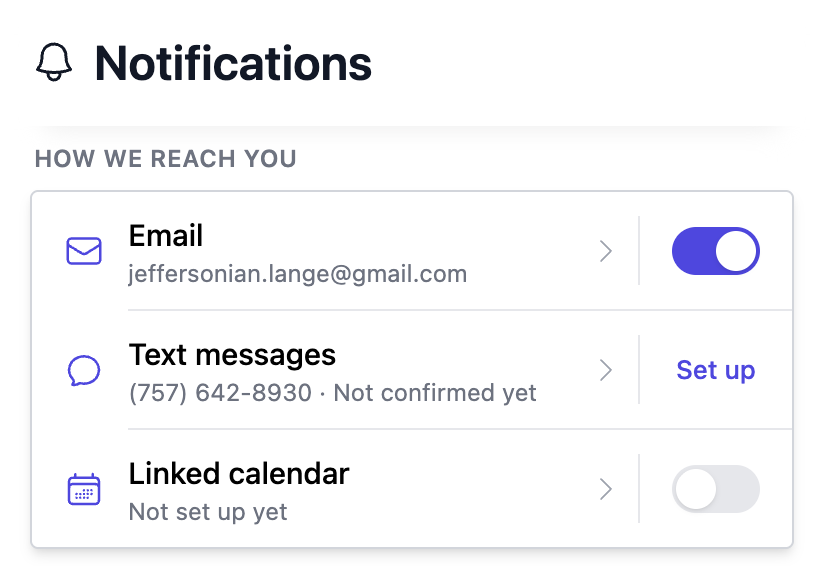
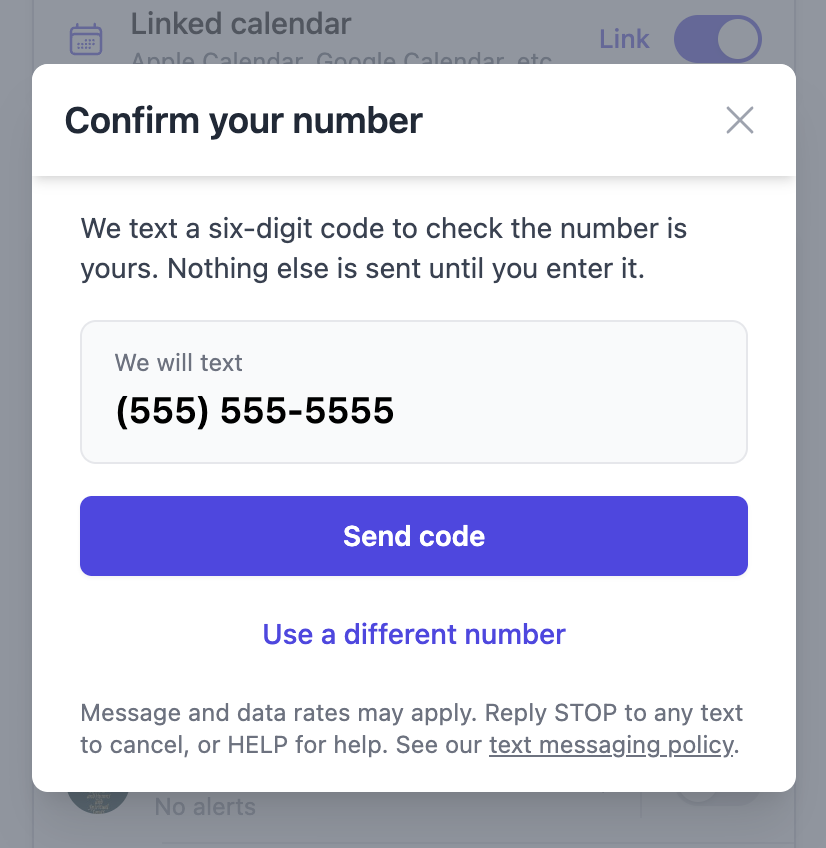
Consent is tied to one phone number. If a member changes their phone number, consent is withdrawn and the member must confirm the new number. Switching text messages off does not withdraw consent, so a member who switches them on again is not asked to confirm a number they already confirmed.
How members opt out
Reply STOP to any message to stop all messages. A member can also switch text messages off in Settings → Notifications, with the switch beside Text messages, which stops every text at once.
A member who wants some texts and not others opens Text messages on that same page and chooses which schedules use it, or opens a single schedule and chooses which channels it uses.
Reply HELP for help, or contact ecclesia1948@gmail.com.
Rates
Message and data rates may apply. Message frequency varies with how often a member is scheduled to serve, and how they have configured their personal notification preferences.